Tổng quan bài viết
Đăng bởi: Khang Dương 9/6/2026
Retail is one of the most common business models, but it is also one of the easiest to lose control of without a proper management system. A retail store does not only need to sell products. Store owners also need to manage:
When the business expands into multiple branches or a chain store model, operational complexity increases very quickly. Many stores begin with manual management: notebooks, Excel files, experience-based inventory checking, end-of-day cash counting, handwritten orders, and revenue tracking based on rough estimation. This may work temporarily when the store is small, has few products, few customers, and only one person selling.
However, when product quantity increases, several staff members sell at the same time, multiple channels generate orders, inventory moves continuously, and customers return more often, manual management creates many errors:
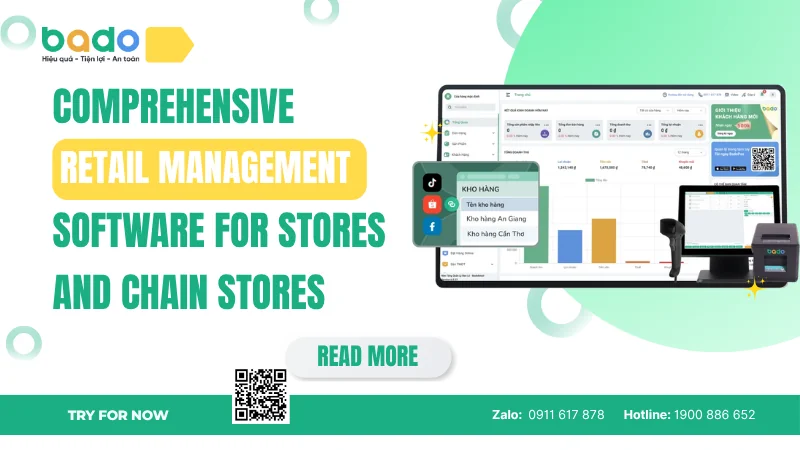
For Bado, comprehensive retail management software should not be understood simply as counter billing software. Instead, Bado Retail - Retail store management software is positioned as a platform that helps stores and chain stores control the entire retail workflow: product management, barcodes, pricing, counter sales, inventory, stock in/out, stock transfers, staff, customers, promotions, e-invoices, omnichannel selling, revenue reports, and overall business performance.
The biggest difference between simple sales software and comprehensive retail management software lies in the scope of control. Basic sales software usually handles only the transaction: select products, calculate payment, print invoice, and close the order. A comprehensive retail solution, however, follows the entire lifecycle of products and business data:
For retail stores, products are the most important assets. If product data is not controlled, profit is difficult to control. A product may have many variants such as size, color, model, volume, unit, packaging type, or batch. If product data is not standardized, item codes are inconsistent, and inventory is not updated, sales reports will be inaccurate. When that happens, store owners may continue purchasing slow-moving products, miss opportunities to restock best-selling items, or fail to detect product loss.
For chain stores, retail management software must seamlessly support multiple branches. Business owners need to know what each store is selling, where inventory is located, which branch lacks stock, which branch has excess stock, which employees perform well, which customers purchase across multiple locations, and whether total revenue is increasing or declining. If every branch uses its own isolated file, consolidated reporting becomes slow, manual, and error-prone.
A comprehensive retail management software should manage the following data layers:
Management Layer
Role in Retail Operations
Products
Manage product names, SKUs, barcodes, categories, and variants.
Pricing
Manage listed prices, promotional prices, and branch-specific prices.
Inventory
Track stock in/out, warehouse transfers, stocktaking, and adjustments.
Sales
Create orders, process multi-method payments, print receipts, and handle returns.
Customers
Store purchase history, demographic groups, and behavioral data.
Staff
Manage role permissions, shift cash tracking, performance, and activity logs.
Branches
Manage multiple stores, physical warehouses, and points of sale (POS).
Invoices
Support compliance and e-invoice issuance when needed.
Reports
Deliver real-time revenue, inventory status, staff sales, and profit indicators.
Omnichannel
Connect physical stores, websites, social channels, and marketplaces.
Modern retail is not only about having products to sell. It is about controlling product and customer data in real time. According to fundamentals outlined in the Google SEO Starter Guide, properly structuring, categorizing, and managing clean digital information is a core pillar for data systems to function correctly and remain discoverable in modern digital ecosystems.
Stores and chain stores need proper retail management because retail profit can be eroded by small, repeated errors every day. One wrong price entry, one lost product, one unrecorded return, one uncontrolled discount, one branch reporting incorrect inventory, or one slow-moving product that continues to be restocked can directly damage the bottom line. If these errors happen frequently, store owners will find it difficult to know where money is leaking.
There are five primary reasons why proper management software is indispensable:
According to the latest industry insights on the NRF Retail Trends 2026, real-time inventory optimization and data-driven customer personalization are among the most critical drivers for operational success in modern chain systems.
Manual retail store management often begins with simple tools: sales notebooks, Excel inventory files, separate cash registers, and manual notes. While this approach may work temporarily when a business is small, it quickly collapses under the weight of increased products, growing customer numbers, rotating shifts, or multi-branch expansion.
Manual Error
Primary Cause
Operational Impact
Inventory Discrepancies
Stock in/out, returns, and transfers are not updated in real time.
Loss of product control, lost revenue, or locked capital.
Intuitive Purchasing
Lack of comprehensive, itemized product sales reports.
Excess slow-moving stock, shortages of best-selling items.
Uncontrolled Pricing
Staff rely on memory or manual price lists at the counter.
Wrong checkout prices, lower margins, and customer disputes.
Poor Shift Control
Shared accounts without individualized role permissions.
Difficult to trace responsibility or investigate financial losses.
Lost Customer Data
No retail CRM or systematic customer data capture.
High customer acquisition costs, weak retention rates.
Shallow Reports
Fragmented, delayed data spread across multiple files.
Slow, inaccurate business decisions based on guesswork.
A comprehensive retail management software needs to cover the entire operating workflow of stores and chain stores. If the system only supports payment, it only handles the final stage of the transaction. If it only supports inventory, it still does not help optimize customers, staff, and revenue.
Therefore, Bado Retail acts as a unified platform that connects sales, products, inventory, customers, staff, branches, and reports through these core feature groups:
Bado Retail connects all retail operating data into one easy-to-use system. When data is interconnected, store owners do not need to juggle disconnected tools to manage their daily workflows.
The fashion industry (apparel, footwear, accessories) faces unique operational challenges due to its heavy reliance on product variants, specifically Size and Color matrices. Without specialized software, tracking thousands of distinct style variations quickly becomes overwhelming.
Bado provides targeted tools built explicitly for this ecosystem:
Implementing retail management software is not simply installing an app and starting sales. To unlock the full value of the system, stores need to follow a structured transition process:
If you want to start modernizing your sales process and explore these core digital workflows without upfront overhead, you can begin with a free sales management software option before scaling up to an advanced multi-location setup. For enterprise-level corporations requiring highly customized workflows, the Bado Enterprise solution offers the deep architecture needed to sustain large-scale operations.
What is the core difference between regular sales software and comprehensive retail management software?
Regular sales software primarily focuses on the checkout event: adding items to a cart, calculating total cost, and printing a receipt. In contrast, comprehensive retail management software tracks the entire lifecycle of business data, integrating advanced sales management features with deep inventory management, automated multi-branch logistics, detailed staff activity logs, and multi-channel customer tracking.
Can this type of software operate when the internet connection goes down?
Yes, Bado Retail features offline processing capabilities. If your storefront experiences an internet outage, the point-of-sale (POS) interface continues to scan barcodes, create orders, and print receipts smoothly. Once the connection is restored, the system automatically synchronizes the offline transaction data back to the central cloud database without disrupting your records.
How does the system protect sensitive store data from internal staff errors or leaks?
Security is maintained through strict role-based permission settings. Store owners can customize exactly what each employee can see and do. For instance, you can block cashiers from viewing total profit margins, changing product prices, or exporting your customer directory to Excel. Furthermore, the system records an audit trail of every single action, making it easy to trace modifications or order cancellations.
How does retail software connect in-store operations with online sales channels?
Bado Retail acts as a centralized database for your entire business. Through its omnichannel architecture, it links your physical counters with external digital platforms like e-commerce websites or social media marketplaces. When an item is sold online, the system instantly updates the central inventory, ensuring your physical stores never accidentally sell an item that is already out of stock online.
Bài viết liên quan
21/9/2026 21 lượt xem
21/9/2026 20 lượt xem
21/9/2026 17 lượt xem
19/9/2026 7 lượt xem
19/9/2026 6 lượt xem
19/9/2026 9 lượt xem
19/9/2026 10 lượt xem
19/9/2026 5 lượt xem
18/9/2026 12 lượt xem
Bài viết nổi bật
2/6/2023 6709 lượt xem
12/11/2025 2787 lượt xem
5/5/2025 1975 lượt xem
5/8/2024 1960 lượt xem
21/9/2024 1768 lượt xem
21/8/2024 1620 lượt xem
10/8/2024 1601 lượt xem
15/4/2026 1564 lượt xem
14/5/2026 1549 lượt xem
12/11/2025 1430 lượt xem
Dùng thử miễn phí phần mềm Bado để tối ưu quản lý cửa hàng ngay hôm nay
...
Hỗ trợ tra cứu, xử lý nghiệp vụ & tư vấn 24/7