Tổng quan bài viết
Đăng bởi: Khang Dương 5/6/2026
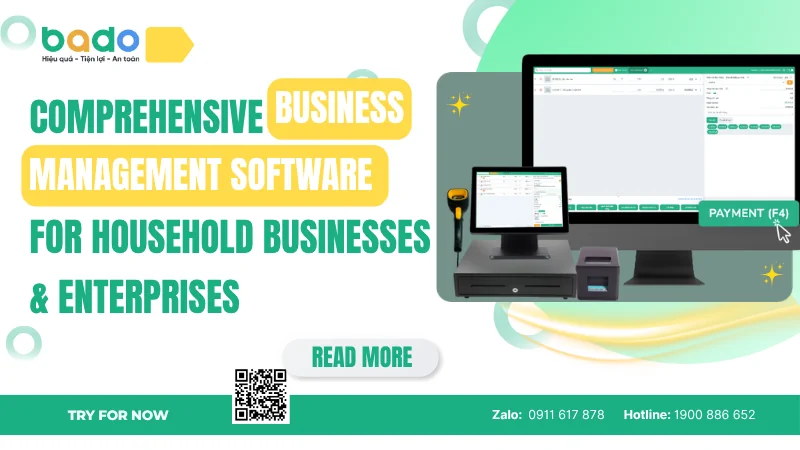
Comprehensive business management software is a platform that helps household businesses, stores, and enterprises manage key business operations in one unified system. These operations may include sales, inventory, customers, employees, e-invoices, receivables, revenue reports, and management data. Unlike standalone software that only handles one function such as sales, inventory, or accounting, a comprehensive sales management solution connects multiple operations so business owners can see the full picture of how their business is running.
In practice, many household businesses and small enterprises often begin with manual or disconnected tools:
Sales are recorded in a paper notebook or a basic POS system.
Inventory quantities are tracked manually within independent Excel sheets.
Critical customer information remains scattered across employees’ personal phones.
Invoices are processed separately through an isolated billing application.
Receivables and cash balances are recorded on separate loose notes.
Daily revenue reports must be summarized manually by hand at the end of the day.
When the business is very small, this approach may still be manageable. However, when there are more products, more orders, more employees, more online channels, or more selling points, disconnected data quickly creates operational errors.
The Connectivity Rule: When an order is created, the system must simultaneously record revenue, update inventory, save the customer’s purchase history, record the employee who handled the transaction, support invoice-related data, and update receivables. This helps business owners avoid manual cross-checks.
Criteria
Standalone Software
Comprehensive Business Management Software
Scope
Handles one function such as sales, inventory, or customers
Connects multiple business operations on one platform
Data
Easily scattered and repeatedly entered
Centralized and synchronized by workflow
Value
Supports short-term tasks
Supports operations, management, and growth
Scalability
Easily becomes messy when products, employees, or branches increase
Can scale with business growth
Best suited for
Very small models with few transactions
Household businesses, stores, SMEs, and growing enterprises
For Bado, “comprehensive” does not mean making software complicated or adding too many features. True comprehensiveness means connecting the most important business operations in a way that is easy to use, easy to deploy, and suitable for real business conditions in Vietnam.
Household businesses and enterprises today do not only need to sell products or services. They also need to control the data behind sales activities. A modern store may routinely receive orders from:
Frontline service counters and physical cash registers.
Chat messages across Facebook and Zalo platforms.
Marketplace interactions on TikTok or e-commerce storefronts.
Direct orders coming from live streaming events or website checkouts.
An enterprise may have multiple employees, selling points, customer groups, and cost categories. Without a centralized management system, data can easily be divided by person, by channel, or by separate files.
The biggest problem with fragmented management is that business owners cannot see the real situation clearly. Revenue may increase, but inventory may still be inaccurate. Orders may grow, but receivables may not be clear. Customers may return many times, but there may be no data for follow-up care. Employees may process sales, but the owner may not know who handled which order. Invoice data and sales data may be separated, making reconciliation time-consuming. Daily reports may show numbers, but those numbers may not fully reflect the real operation.
Comprehensive business management software solves this by bringing important operations into one platform. When sales, inventory, customers, invoices, receivables, and reports are synchronized, business owners can monitor activities more accurately. This is an important step in moving from intuition-based management to data-based management.
Common Problem
Risk of Fragmented Management
How Comprehensive Software Helps
Orders come from many channels
Missed orders, duplicate orders, slow response
Centralizes sales data
Inventory is inaccurate
Wrong purchasing decisions, overselling, product loss
Updates inventory based on transactions
Customer data is not stored
Poor follow-up and lost repeat revenue
Stores profiles and purchase history
Receivables are recorded manually
Easy to forget and hard to reconcile
Tracks amounts to collect or pay
Invoices are separated from sales data
Repeated data entry and difficult reconciliation
Supports clearer document-related data
Reports are delayed
Business owners make late decisions
Generates reports from connected data
In a business environment where digital operations are becoming more important, comprehensive business management software is no longer only a tool for daily tasks. It is a foundation that helps household businesses and enterprises adapt to a more transparent, data-driven, multi-channel, and management-focused operating environment.
Comprehensive business management software should cover the core operations of business management. If a system only supports order creation or payment calculation, it only solves a small part of daily operations. In reality, every sales transaction is connected to many other data points: which product was sold, how inventory changed, who the customer was, which employee handled the transaction, how payment was made, whether an invoice is needed, whether receivables are involved, and how revenue reports are updated.
Sales is the entry point for all business data. An integrated sales management module helps users create orders quickly, select products easily, apply promotions, record payments, print receipts, and store transaction history.
Retail layout: Tailored for quick barcode scanning, inventory lookup, and multi-channel fulfillment.
F&B layout: Configured for interactive table grids, menu item modification, and kitchen ticket printing.
Service layout: Connected directly to booking calendars, service packages, and profile notes.
Inventory is an area where losses happen easily if data is unclear. Employing professional inventory management features supports tracking stock-in, stock-out, stock checks, low-stock alerts, units of measurement, pricing, suppliers, and stock movement history. Automated synchronization helps prevent understocking, overstocking, or inventory depreciation.
Customers are valuable business data assets. Utilizing central customer management tools stores customer information, purchase history, return frequency, and key needs. When customer data is centralized, businesses can implement automated follow-ups, targeted promotions, and customer segmentation to increase repeat sales.
Compliance and cash flow management become simplified when transaction data is connected with documents. Direct synchronization with the Bado e-invoice solution eliminates manual ledger entry, prevents reconciliation discrepancies, and supports absolute transaction transparency for future auditing.
Reports turn software from a cashier app into an executive management tool. Instead of simple daily totals, the system automatically populates financial reports mapping gross profits, aging debts, employee performance metrics, and channel growth trends.
Operation Group
Role in Business
Value Created
Sales/POS
Create orders, receive payments, print receipts
Faster sales and fewer errors
Inventory
Track stock in, stock out, and stock on hand
Reduces mismatch and improves control
Customers
Store profiles and purchase history
Improves follow-up and repeat sales
Employees
Manage permissions and activities
Clarifies responsibility
E-Invoices
Connect transaction data with documents
Supports transaction transparency
Receivables
Track amounts to collect or pay
Improves cash flow control
Reports
Summarize business data
Supports decision-making
A strong comprehensive system does not simply list many features. Its real value lies in connecting those features into one workflow. If sales does not connect with inventory, inventory does not connect with reports, and customers do not connect with orders, the system is still a collection of separate parts. The real value comes from data synchronization.
Regular sales software usually focuses strictly on transactions at the point of sale (order creation, payment calculation, receipt printing, and recording basic revenue). For very small business models, this may be enough at the beginning. However, as the business grows, management needs go beyond simply “selling faster.”
Comprehensive business management software has a broader scope. It looks far past the immediate receipt to answer broader management questions:
Which specific products have been sitting dead in stock for too long?
Which customer groups return frequently and are ready for a loyalty promotion?
Which employees generate higher sales performance values per shift?
How do outstanding receivables look across your entire B2B or B2C customer ledger?
Regular Sales Software
Focus
Sales transactions
Overall business operations
Main functions
Orders, payments, receipts
Sales, inventory, customers, invoices, receivables, reports
Data level
Basic revenue recording
Connected management data
Very small models with limited operations
Long-term value
Supports sales tasks
Supports management and growth
This does not mean regular sales software has no value. It is still a useful starting point for many stores. However, if the goal is systematic management, data control, and long-term expansion, comprehensive business management software is more suitable. For Bado, sales is the center, but it is not the whole story. Bado should be understood as a platform that connects sales with inventory, customers, invoices, receivables, and reports to support clearer business operations.
Bado defines comprehensive business management software as a platform that helps household businesses, stores, and enterprises control key operations in one system, including sales, inventory, customers, employees, e-invoices, receivables, and reports. The core idea in Bado’s definition is connection. Bado does not only provide separate features; it aims to build a system where data from different operations is linked so business owners can monitor activities from one place.
In Bado’s approach, sales is the first point where business data is generated. Every order creates information about products, revenue, inventory, customers, employees, payments, invoices, and reports. If this data is recorded correctly from the beginning, the management layers behind it become clearer. Business owners no longer need to rely only on intuition; they can look at numbers to understand what is happening.
Bado focuses on connecting the most common business operations: creating orders, managing products, controlling inventory, storing customer data, tracking receivables, supporting invoice-related data, and viewing reports. These operations should not exist as separate modules; they should be connected according to real business workflows.
Software with many features but poor usability is not suitable for household businesses and small enterprises. Therefore, “comprehensive” in Bado must go together with “easy to use.” Users can start with basic actions such as creating orders, entering products, and viewing revenue, then gradually expand into inventory, customers, e-invoices, receivables, and advanced reports.
Bado serves multiple business models, including household businesses, retail, F&B, spas, pharmacies, agricultural supply stores, and small enterprises. Each industry has its own workflow, but they all need a unified data core: sales, products, customers, and reports.
How Bado Understands “Comprehensive”
Practical Meaning
Comprehensive in operations
Sales, inventory, customers, invoices, receivables, and reports are connected
Comprehensive in data
One transaction creates data for multiple management purposes
Comprehensive in experience
Easy to use, easy to deploy, suitable for non-technical users
Comprehensive across industries
Flexible for different business models
Comprehensive for growth
Start small and expand as the business grows
Bado should not be positioned as software only for creating orders. The right positioning is comprehensive business management software that helps Vietnamese businesses operate more clearly, synchronize data more effectively, and prepare for sustainable growth.
Household businesses are one of the groups that need comprehensive business management software the most because owners often handle many tasks at the same time. A household business owner may sell products, purchase goods, check inventory, care for customers, process online orders, record receivables, view revenue, and prepare invoice-related data when needed. If all of these activities depend on notebooks, memory, or multiple files, mistakes can easily happen when order volume increases.
The first benefit for household businesses is clearer management without requiring an overly complex system. Good software should help household business owners create orders quickly, know what is in stock, store returning customer information, view daily revenue, and track basic data. When everything is recorded in one system, owners rely less on manual memory and gain better control over operations.
The second benefit is supporting the transition from informal management to more systematic management. Many household businesses may not see the need for software at the very beginning. But when they add employees, add products, add sales channels, or need clearer invoice data, manual management becomes a barrier. Starting early with software helps prevent confusion later.
Household Business Need
Problem with Manual Management
Benefit of Comprehensive Software
Daily sales
Wrong orders, wrong prices, forgotten orders
Creates orders quickly and stores history
Product management
Unclear inventory availability
Updates inventory by transaction
Revenue tracking
Manual daily calculation
Provides clearer revenue reports
Customer care
No purchase history
Easier follow-up and repeat sales
Easy to forget amounts to collect
Tracks receivables more clearly
Invoice data
Manual data gathering
Organizes sales data better
For household businesses, comprehensive business management software is not a luxury. It is a foundation for building systematic management from the beginning. When data is organized early, household businesses can expand products, hire employees, add new sales channels, or grow into a more formal enterprise model more easily in the future.
Enterprises, especially small and medium-sized enterprises, need comprehensive business management software because their operations are usually more complex than household businesses. When there are many employees, departments, selling points, or revenue channels, data cannot depend on one person. If each department uses a separate tool, the company will face reconciliation problems: sales has one set of numbers, inventory has another, accounting has another system, marketing has separate customer data, and leadership has to summarize everything manually.
The first benefit for enterprises is workflow standardization. When an order is created, the inventory team has data to fulfill it, customer service has purchase history, relevant teams have invoice-related data, management has revenue reports, and business owners have a clearer overall view. The more connected the workflow is, the fewer discrepancies between departments.
The second benefit is data-based management. A company cannot grow sustainably if it relies only on intuition. It needs to know which products contribute strong revenue, which employees perform well, which branches are growing, which customers are high-value, how much receivable remains, and which sales channel deserves more investment. Comprehensive business management software helps record and summarize this data more clearly.
Enterprise Need
Risk Without a System
Role of Comprehensive Software
Multiple employees
Unclear responsibility
Permissions and activity history
Multiple selling points
Inconsistent data
Centralized reporting
Sales and inventory connection
Slow handling and stock errors
Synchronizes orders and inventory
Customer tracking
Lost follow-up data
Stores history and segments customers
Receivables management
Poor cash flow control
Decision-making
Slow and inaccurate reports
Provides clearer management data
The third benefit is scalability. When an enterprise opens more branches, adds sales channels, or increases staff, old workflows can become overloaded. With a comprehensive management foundation, the business can expand with more control. This is an important reason for Bado to become a long-term operating platform, not just a tool used at the early stage.
Bado’s comprehensive business management software is suitable for many business models that need to manage sales, products, customers, invoices, receivables, and reports on one platform. These may include household businesses that are beginning to manage more systematically, retail stores that need better product control, restaurants and cafés that need smoother service workflows, spas that need appointment and customer management, pharmacies that need product control, agricultural supply stores that need receivables tracking, or small enterprises that need standardized data for expansion.
For retail, Bado is suitable because this sector often has many products, SKUs, price levels, and ongoing inventory control needs. Without a system, store owners may not know which products sell well, which items sit in stock too long, which products are nearly out of stock, or which customers return frequently. For F&B, Bado can support ordering, payments, shift revenue, and operational data. For spas, salons, or clinics, Bado should support appointments, customer records, service packages, treatment history, and follow-up care.
For household businesses, Bado’s greatest value is ease of starting. Owners do not need a complicated system, but they still need to manage sales, inventory, revenue, customers, and invoice-related data clearly. For small enterprises, Bado’s greatest value is standardization and scalability. When a business has more employees or selling points, data needs to be permission-based, controlled, and properly summarized.
Business Model
Main Needs
Value Bado Provides
Household businesses
Sales, revenue, invoices, data
Easy start and clearer management
Retail stores
Products, inventory, barcodes, customers
Better product control
F&B
Menu items, tables, shifts, payments
Faster service and fewer errors
Spa/Salon/Clinic
Appointments, service packages, customer records
Better care and retention
Pharmacies
Products, inventory, invoices
Clearer product management
Agricultural supply stores
Receivables, inventory, customers
Better sales and debt tracking
Small enterprises
Reports, permissions, expansion
Operational standardization
The important point is that Bado should not be understood as rigid software for every industry. The right positioning is a platform with a unified management core that can remain flexible for different business models. This article should also link down to Bado’s industry landing pages, feature pages, tutorials, and real case studies.
To choose the right comprehensive business management software, business owners should not look only at price or feature lists. Software with many features but poor usability may discourage employees from using it. Low-cost software without scalability may force the business to switch systems later. A system that looks impressive in a demo but does not fit real workflows may also fail to create long-term value.
First, business owners should identify their biggest problem. If the problem is slow sales processing, they should prioritize an easy-to-use POS. If the problem is inventory mismatch, inventory management should come first. If the problem is poor customer follow-up, customer management should be prioritized. If the problem is receivables, the software should support tracking amounts to collect or pay. If the problem is invoice data and reporting, clear and easy-to-reconcile data should be prioritized. If the business is expanding, permissions, reporting, and multi-location management become important.
Question to Ask
Why It Matters
Ease of use
Can employees operate it quickly?
Reduces deployment barriers
Connected operations
Are sales, inventory, customers, invoices, and reports linked?
Ensures comprehensiveness
Industry fit
Does it support the business’s actual workflow?
Avoids mismatched usage
Clear reports
Can it show revenue, inventory, customers, and receivables?
Can it support more employees, branches, and channels later?
Avoids frequent system changes
Support quality
Is there consulting and onboarding support?
Very important for household businesses and SMEs
Reasonable cost
Is the price aligned with the value received?
Ensures investment efficiency
Beyond features, implementation support is extremely important. For household businesses and small enterprises, software is not only a technical tool; it becomes part of daily operations. Without proper guidance, users may give up after the first few days. Therefore, business owners should prioritize platforms with support teams, user guides, onboarding processes, and post-sale assistance.
Bado is suitable for customers who want to start simply but do not want to be limited as they grow. Users can begin with sales, products, customers, and basic reports, then gradually expand into e-invoices, deeper inventory control, receivables, employees, multi-channel selling, or multiple locations. This implementation approach reduces initial pressure while keeping a long-term foundation.
Comprehensive business management software is a platform that helps household businesses, stores, and enterprises connect key operations such as sales, inventory, customers, employees, e-invoices, receivables, and reports on one system. In a business environment that is increasingly multi-channel, data-driven, and operationally demanding, managing through notebooks, Excel files, or multiple disconnected tools is no longer a sustainable approach.
Bado believes that good business management software should not only help users sell faster, but also help business owners understand their operations more clearly. “Comprehensive” does not mean making software complicated. It means connecting the right operations in a way that is easy to use, easy to deploy, and practically valuable. When sales, inventory, customers, invoices, receivables, and reports are connected on one platform, business owners can reduce errors, gain better control, and make decisions based on data.
For household businesses, Bado is a foundation for systematic management from the beginning. For stores, Bado helps control products, revenue, customers, and employees more clearly. For enterprises, Bado supports workflow standardization, permissions, reporting, and more sustainable expansion. This is why Bado positions itself not only as sales software, but as comprehensive business management software for household businesses and enterprises.
Comprehensive business management software is a platform that helps manage multiple business operations on one system, including sales, inventory, customers, employees, e-invoices, receivables, and reports. Unlike standalone software that only solves one task, comprehensive software connects data across operations. This helps business owners control operations more clearly and make decisions based on real business data.
Sales management software usually focuses on orders, payments, and revenue at the point of sale. Business management software has a broader scope, including sales, inventory, customers, employees, invoices, receivables, reports, and management data. Sales management is an important part of business management, but it is not the entire operating system.
Yes. Although household businesses may be small in scale, they still need to manage revenue, products, customers, receivables, invoices, and reports. If they only use notebooks or Excel, owners may face inventory mismatch, forgotten orders, incorrect revenue, or poor customer follow-up. Easy-to-use software helps household businesses manage more systematically without needing an overly complex system.
Yes. Bado is suitable for SMEs that need to manage sales, inventory, customers, employees, invoices, receivables, and reports on one unified platform. As the business grows, Bado helps standardize data, manage permissions, monitor performance by channel or selling point, and support more sustainable expansion.
It can replace many Excel files used for managing orders, inventory, customers, receivables, and manual reports. However, the greater value is not only replacing Excel. It helps data update based on real transactions and connect across multiple operations. This reduces repeated entry, lowers errors, and saves reporting time.
A business should move when manual management starts causing delays, errors, or lack of control. Common signs include increasing orders, inventory mismatch, multiple employees working in the system, multi-channel selling, hard-to-track receivables, slow reporting, or the need for clearer invoice-related data. Moving early helps business owners build a systematic foundation before the business becomes larger.
No. POS is an important part of Bado, but it is not the full positioning of Bado. Bado aims to be comprehensive business management software that connects POS with inventory, customers, employees, e-invoices, receivables, and reports. This helps business owners not only sell faster, but also manage operations more clearly.
Bài viết liên quan
21/9/2026 21 lượt xem
21/9/2026 20 lượt xem
21/9/2026 17 lượt xem
19/9/2026 7 lượt xem
19/9/2026 6 lượt xem
19/9/2026 9 lượt xem
19/9/2026 10 lượt xem
19/9/2026 5 lượt xem
18/9/2026 12 lượt xem
Bài viết nổi bật
2/6/2023 6709 lượt xem
12/11/2025 2787 lượt xem
5/5/2025 1975 lượt xem
5/8/2024 1960 lượt xem
21/9/2024 1768 lượt xem
21/8/2024 1620 lượt xem
10/8/2024 1601 lượt xem
15/4/2026 1564 lượt xem
14/5/2026 1549 lượt xem
12/11/2025 1430 lượt xem
Dùng thử miễn phí phần mềm Bado để tối ưu quản lý cửa hàng ngay hôm nay
...
Hỗ trợ tra cứu, xử lý nghiệp vụ & tư vấn 24/7