Tổng quan bài viết
Đăng bởi: Vy To 6/6/2026
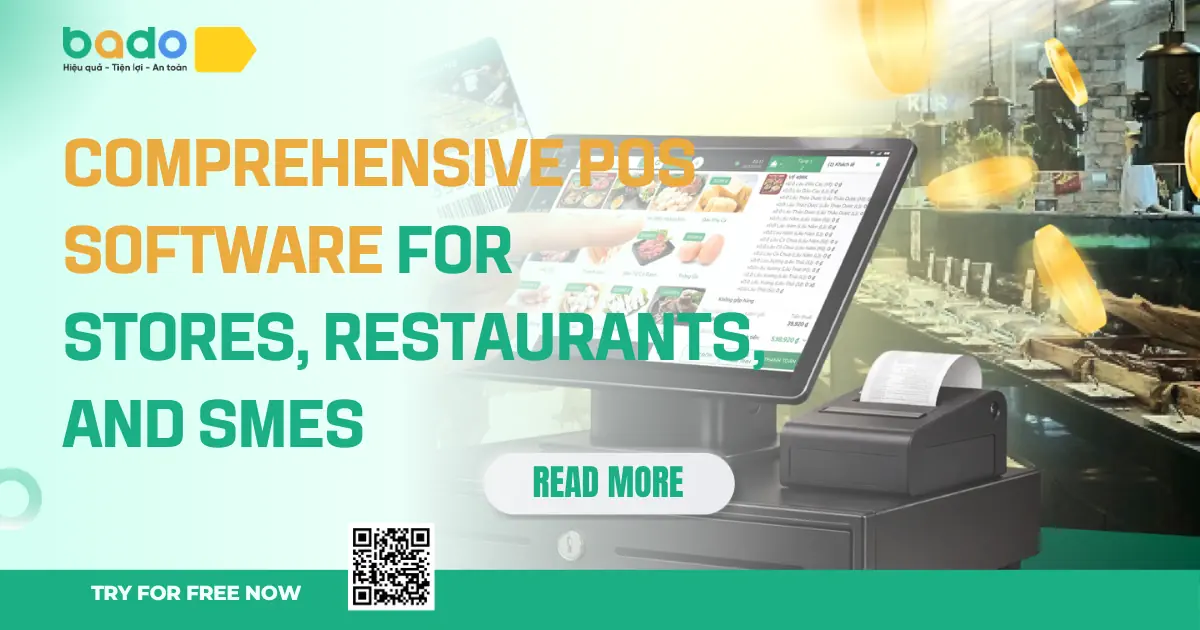
Comprehensive POS software is a system that helps stores, restaurants, and small to medium-sized enterprises process sales transactions at the point of sale while connecting that transaction data with the operational activities behind it, such as product management, inventory, customers, staff, receivables, e-invoices, revenue, and reports. A POS system is not only a checkout screen or a receipt-printing tool. A proper POS system should become the central transaction point where every sale is recorded and converted into useful management data.
This is the core pillar article for Bado’s “POS software” content cluster, so the scope must be clearly defined to avoid overlapping search intent with other articles. If an article about “sales management software” focuses more broadly on sales operations, an article about “store management software” focuses on full store operations, an article about “restaurant management software” focuses on F&B operations, and an article about “SME management solutions” focuses on small and medium-sized enterprises, this article focuses on POS as the center of transactions and sales data. In other words, this article answers the question: what should a modern POS system do for stores, restaurants, and SMEs, from in-store sales activities to post-transaction reporting?
For retail stores, POS software helps staff create orders, scan barcodes, select products, apply promotions, receive payments, and print receipts faster. For restaurants, POS software should support food ordering, table management, sending order information to the kitchen, splitting or merging bills, processing payments, and tracking revenue by shift. For SMEs, POS software must go beyond checkout, because the business may also need to manage multiple employees, multiple selling points, product groups, customer data, inventory, receivables, and reports by branch or sales channel.
Criteria
Basic POS
Comprehensive POS
Main focus
Checkout and receipt printing
Sales, inventory, customers, staff, and reports
Data
Records individual transactions
Connects transactions with operations
Best suited for
Small selling points with simple needs
Stores, restaurants, and SMEs that need structured management
Inventory
May not be deeply connected
Updates automatically by transaction
Customers
Basic or no customer records
Stores purchase history and supports follow-up
Reports
Basic revenue reports
Revenue, products, shifts, staff, and inventory reports
Bado defines comprehensive POS software as a platform that helps business owners sell faster at the point of sale while making operational data clearer after every transaction. Each order, table, bill, or payment should not stop at collecting money. It should become data that helps store owners, restaurant owners, and SMEs control operations, reduce mistakes, and make better decisions.
Many businesses start with a cash register, handwritten records, Excel files, or very basic sales software. At the beginning, this may be enough because order volume is still low, products are not complicated, staff size is small, and the owner can still personally monitor everything. However, as operations grow, selling points get busier, product lists expand, employees work in shifts, online sales increase, or the business needs invoices, reports, and inventory control, a simple cash register is no longer enough to manage the whole operation.
For retail stores, common problems include inventory mismatch, wrong pricing, product loss, and not knowing which products sell best. A cash register may help calculate payments quickly, but it does not necessarily help the owner know which products are nearly out of stock, which products sit too long, which staff members perform well, or which customers buy repeatedly. If POS data is not connected with products, inventory, and reports, the owner still has to summarize everything manually.
For restaurants, the problem is even more complex. Orders may come from many tables, areas, and service staff. If orders are not recorded clearly, the kitchen may receive the wrong item, staff may forget dishes, bills may be undercharged, or shift revenue may become inaccurate. Restaurants need POS not only for payment, but also to connect ordering, kitchen workflow, tables, staff, payments, and reports. A slow or disconnected POS system directly affects service speed and customer experience.
For SMEs, POS is one part of a larger management system. A business may have many branches, warehouses, employee groups, sales channels, and management levels. If POS data does not connect with overall reports, business owners will struggle to know which selling point is performing well, which shift generates strong revenue, how inventory changes at each location, and which staff members are handling transactions.
Business Model
If Only Using a Cash Register or Basic Tool
With Comprehensive POS
Retail store
Can calculate payments but struggles with inventory and reports
Sells, deducts stock, stores customers, and provides reports
Restaurant/F&B
Prone to wrong orders, slow kitchen flow, and billing errors
Manages orders, tables, kitchen, payments, and shifts
Multi-location SME
Scattered data and hard branch control
Synchronizes sales data and reports
Online/offline selling
Scattered orders and mismatched stock
Centralizes transaction data more effectively
Staff-based operations
Hard to know who created orders or collected payments
Provides permissions, activity tracking, and shift reports
A comprehensive POS system helps businesses move from “collecting payment and ending the transaction” to “turning every transaction into management data.” When a transaction is recorded correctly at the point of sale, the system can update inventory, store customer purchase history, identify the staff member handling the transaction, support invoice-related data, and generate reports. This is why Bado should position POS not only as a checkout tool, but as an operating foundation for stores, restaurants, and SMEs.
Comprehensive POS software must begin with fast sales operations, but it should not stop there. A modern POS system should connect with post-transaction operations such as inventory, customers, staff, shifts, e-invoices, and reports. For stores, POS must make checkout faster and cleaner. For restaurants, POS must support ordering and flexible payments. For SMEs, POS must generate clear data to help the business control multiple selling points or employee groups.
For retail stores, POS should support fast order creation, product search, barcode scanning, discounts, payment methods, receipt printing, and transaction history. The POS interface must be easy to use because sales staff often need to operate continuously during peak hours. If the system is difficult to use, data may be entered incorrectly or staff may return to manual methods. A strong POS system should increase selling speed while still ensuring that data is recorded accurately.
For restaurants, eateries, coffee shops, milk tea shops, and other F&B models, POS needs to handle ordering workflows. Staff need to select tables, select menu items, add notes, send order information to the kitchen or bar, update item status, split or merge bills, and process payments quickly. F&B businesses are highly sensitive to service speed, so POS should help reduce wrong orders, forgotten items, and customer waiting time.
Comprehensive POS should connect with product catalogs, selling prices, units of measurement, barcodes, stock quantity, and stock movement. For retail stores, each completed sale should deduct inventory. For F&B businesses, depending on the model, the system may help track ingredients, best-selling menu items, or inventory items. For SMEs, inventory by branch or warehouse is important for operational control.
A strong POS system should store customer information, purchase history, receivables when needed, staff members handling transactions, sales shifts, and revenue reports. Reports should be clear enough for business owners to know which days perform well, which products or dishes sell best, which staff members are effective, which selling points are growing, and whether inventory has any issues.
Feature Group
Store
SME
Order creation/checkout
Very important
Important
Barcode scanning
Highly needed
Depends on model
Needed for retail
Food/table ordering
Not the main focus
Needed if the business includes F&B
Staff/shifts
E-invoices
Depends on needs
Bado needs to present POS as a flexible operating core. Retail stores need fast POS and strong inventory control. Restaurants need smooth order POS and effective table/shift handling. SMEs need POS that connects data across selling points, staff, and reports. The common point is that POS must turn transactions into management data instead of only processing payments.
POS software, sales software, and store management software are closely related, but they are not exactly the same. If the distinction is unclear, Bado’s SEO structure can easily suffer from overlapping search intent. The article about “comprehensive POS software” should focus on selling points, transactions, checkout, orders, payments, and data generated at the point of sale. The article about “sales software” can cover a broader sales process, order handling, sales channels, and closing workflows. The article about “store management software” is broader still, covering store operations from products, inventory, customers, staff, and reports.
POS can be understood as the first transaction layer. It is where staff create orders, customers make payments, bills are generated, and sales data is recorded. If POS works well, the downstream data such as inventory, revenue, customer history, and reports becomes more accurate. If POS is only a calculator that is not connected to the management system, the business still has to re-enter data elsewhere.
Sales software usually has a slightly broader scope than POS. It may include online order creation, order management, customer care, multi-channel order processing, pricing, and promotions. POS, on the other hand, emphasizes transactions at the selling or ordering point. For offline stores, POS is the checkout counter. For restaurants, POS is the ordering and payment screen. For SMEs, POS is the place where transactions are recorded at each branch or selling point.
Store management software includes POS as one part of a larger system. A store does not only need POS; it also needs product management, inventory, customers, staff, receivables, reports, and sometimes omnichannel selling. Therefore, POS is the transaction center, while store management is the broader operating picture.
Concept
Main Focus
Main Scope
Role in the Bado Ecosystem
POS software
Transactions at the point of sale/order
Order creation, payment, receipt printing, ordering
The source of sales data
Sales software
Selling process and order handling
Orders, customers, channels, payments
Broader sales activity management
Store management software
Store operations
POS, inventory, products, staff, customers, reports
Full store management
SME management solution
Small and medium enterprise operations
Multiple selling points, staff, data, reports
Business-level management
Therefore, this article should position Bado POS as the transaction core within the management ecosystem. POS does not replace the full concepts of store management or business management, but it is an extremely important starting point. When POS records data correctly, the operations behind it have a reliable foundation to run on. This helps Bado avoid duplicated content and build a clearer SEO cluster.
Bado defines comprehensive POS software as a platform that helps stores, restaurants, and SMEs process sales transactions quickly and accurately while connecting transaction data with the management operations behind it. In this definition, POS is not only the place where payment is collected. It is the starting point of operational data. Every bill, order, table transaction, and payment can become data for inventory, customers, staff, e-invoices, and reports.
For stores, Bado POS should make checkout more convenient: quick product search, fast order creation, barcode scanning, payment recording, and inventory updates. For restaurants, Bado POS should support food ordering, table management, shift handling, and smoother payments. For SMEs, Bado POS should help control data across multiple selling points, employees, and product groups. The common requirement across all models is that POS should be easy to use, stable, and clear in its data structure.
Bado should help staff operate quickly at the point of sale. Speed matters because POS is the direct touchpoint with the customer. If the process is slow, customers wait longer, staff are more likely to make mistakes, and the business loses data quality. That is why POS should prioritize user experience: easy product selection, easy order creation, easy payment handling, and easy problem solving when exceptions occur.
A POS transaction should generate data for multiple operations. When a product is sold, inventory should change. When a customer buys, the purchase history should be stored. When staff process an order, the system should record who handled it. When payment is made, revenue and reports should update. When an invoice is needed, transaction data should be clear enough for reconciliation. This is what makes Bado POS different from a simple cash register.
Bado should not define POS as one fixed workflow. Retail stores need a different POS approach from restaurants. Restaurants need different POS workflows from service centers. Multi-branch SMEs need different POS capabilities from a small single-location store. Therefore, Bado POS should be understood as a transaction core that can adapt to different sectors such as Retail, F&B, Care, Edu, and Enterprise.
How Bado Understands “Comprehensive POS”
Practical Meaning
Comprehensive in transactions
Orders, food ordering, payments, receipt printing
Comprehensive in data
Connects POS with inventory, customers, staff, and reports
Comprehensive across models
Fits stores, restaurants, services, and SMEs
Comprehensive in scalability
From one selling point to multiple selling points
Comprehensive in experience
Easy for staff, clear data for business owners
With this definition, Bado POS is not simply checkout software. Bado POS is the first touchpoint in the sales and operations management process. When transactions are handled quickly and data is connected properly, stores, restaurants, and SMEs can control operations better, reduce errors, and make decisions based on clearer numbers.
The first benefit of comprehensive POS software is faster transaction processing. In stores, staff can create orders faster, find products more easily, and process payments more smoothly. In restaurants, staff can take orders, send information to the kitchen, and process bills faster. In SMEs, multiple selling points can follow a more consistent transaction process. Speed at the point of sale does not only help staff work more efficiently; it directly affects customer experience.
The second benefit is fewer mistakes. When businesses rely on notebooks, disconnected cash registers, or manual notes, errors such as wrong prices, missed orders, forgotten dishes, undercharging, overcharging, or incorrect payment methods can happen easily. Comprehensive POS helps standardize operations, store transaction history, and create data for later review. For restaurants, clearer ordering reduces wrong dishes and improves coordination between service staff and the kitchen. For stores, product and pricing links help reduce checkout mistakes.
The third benefit is better control over inventory and products. Every POS transaction can update inventory automatically. Business owners can know which products sell best, which products sit too long, which menu items are frequently ordered, what stock is nearly out, and which selling points need replenishment. This is especially important for retail stores, restaurants with ingredients, and SMEs with multiple warehouses or branches.
The fourth benefit is clearer reporting. Comprehensive POS records sales data from the beginning, so end-of-day, end-of-shift, or end-of-month reports become more reliable. Business owners do not need to manually calculate every order. They can review revenue, order count, best-selling products, staff performance, payment methods, and selling point performance more clearly.
Benefit
Faster sales
Quick order creation and barcode scanning
Faster ordering and payments
Standardized transactions
Fewer mistakes
Reduces wrong prices and missed orders
Reduces wrong or forgotten dishes
More consistent data
Inventory control
Deducts stock by order
Tracks menu items/ingredients depending on model
Tracks by branch or warehouse
Staff management
Reviews shifts and actions
Tracks service/cashier activities
Clearer permissions
Better reports
Revenue, products, customers
Revenue, tables, shifts, menu items
Reports by branch/channel
The long-term benefit of comprehensive POS is helping businesses build a habit of data-based management from the point of sale. If POS data is accurate, reports become clearer. If reports are clearer, business owners make better decisions. This is the value Bado should emphasize: POS does not only support current transactions; it creates a data foundation for long-term growth.
Bado’s comprehensive POS software is suitable for many business models that have frequent transactions at a selling point or ordering point. The first group is retail stores such as grocery stores, mini supermarkets, fashion stores, cosmetics shops, mother-and-baby stores, pharmacies, phone shops, accessories stores, agricultural supply stores, paint stores, and construction material stores. These models need POS to create orders quickly, manage products, scan barcodes, update inventory, and view sales reports.
The second group is restaurants and F&B businesses such as eateries, restaurants, coffee shops, milk tea shops, karaoke venues, billiard clubs, or take-away models. These businesses need POS not only to calculate payments, but also to manage orders, tables, menu items, kitchen workflows, shifts, and payments. In F&B, processing speed directly affects customer experience, so POS needs to be smooth, clear, and suitable for the service workflow.
The third group is SMEs with multiple staff members, selling points, or channels. For this group, POS needs to create centralized data for management by branch, staff, product, channel, or time period. SMEs do not only need faster sales. They need sales data management for better decision-making.
Main POS Need
Value Bado Provides
Grocery stores/mini supermarkets
Fast selling, barcodes, inventory
Reduces pricing mistakes and improves stock control
Fashion/cosmetics stores
Products, variants, customers
Supports sales and customer follow-up
Pharmacies
Products, transactions, invoices
Clearer sales data
Agricultural supply stores
Receivables, regular customers, inventory
Tracks transactions and customers
Restaurants/eateries
Orders, tables, kitchen, payments
Reduces wrong orders and speeds up service
Coffee shops/milk tea shops
Menu, shifts, payments
Tracks revenue by shift
Multi-location SMEs
Branches, staff, reports
Synchronizes transaction data
Online/offline businesses
Orders, inventory, customers
Reduces scattered data
This pillar article should not go too deep into each industry. Its role is to define “comprehensive POS” for the entire Bado ecosystem. From this article, Bado can link down to industry clusters such as Bado Retail, Bado FnB, restaurant POS software, retail store POS software, coffee shop POS software, pharmacy POS software, agricultural supply POS software, and POS solutions for SMEs.
When choosing comprehensive POS software, business owners should not only look at a beautiful interface or low price. POS is the direct touchpoint with transactions, so it must be fast, stable, easy to use, and suitable for the operating model. POS software with many features but poor usability will make staff avoid using it, create incomplete data, and make reports unreliable. On the other hand, a POS system that is too simple may work at first but become insufficient when the store, restaurant, or SME grows.
The first criterion is transaction speed. POS should help create orders quickly, find products quickly, and process payments quickly. For restaurants, menu ordering should be convenient. For stores, barcode scanning and product selection should be easy. The second criterion is data connectivity. POS must connect with products, inventory, customers, staff, e-invoices, and reports. If POS only records revenue but does not connect with the operations behind it, business owners still have to manage manually.
The third criterion is industry fit. A retail store needs a different POS workflow from a restaurant. A restaurant needs tables, menu items, kitchen flow, and shifts. An SME needs permissions, multiple selling points, and consolidated reports. Therefore, businesses should choose POS software that can adapt to their model. The fourth criterion is scalability. As the business grows, the system should support additional staff, selling points, warehouses, devices, or advanced features.
Question to Ask
Why It Matters
Ease of use
Can staff operate it quickly?
Ensures consistent POS usage
Stability
Can it handle peak hours?
Avoids sales disruption
Industry fit
Does it support retail, F&B, and SME workflows?
Prevents workflow mismatch
Inventory connection
Does it update products by transaction?
Reduces stock mismatch
Does it support permissions and shift tracking?
Clarifies responsibility
Does it show revenue, products, staff, and selling points?
Supports decision-making
Scalability
Can it support more branches, warehouses, or users?
Avoids early system replacement
Implementation support
Is there consulting and onboarding?
Helps businesses use it effectively
Bado is suitable for stores, restaurants, and SMEs that need a POS system that is easy to use but not disconnected. Business owners can start with sales, ordering, products, and reports, then expand into inventory, customers, staff, e-invoices, multiple selling points, or industry solutions. This practical implementation path helps POS become more than a payment tool. It becomes an operational data foundation.
Comprehensive POS software for stores, restaurants, and SMEs is a platform that processes transactions at the point of sale while connecting those transactions with management operations such as inventory, customers, staff, e-invoices, and reports. In a business environment where retail stores, restaurants, and small enterprises increasingly need speed, accuracy, and clear data, relying only on cash registers or manual records is no longer sustainable.
Bado believes that modern POS should not stop at payment calculation. A proper POS system should help transactions happen faster, data become clearer, and business owners understand operations after every shift, day, or selling point. In Bado’s view, “comprehensive” means connecting POS with sales, ordering, inventory, customers, staff, and reports in a way that is easy to use, easy to deploy, and suitable for real business conditions in Vietnam.
For stores, Bado POS helps sell faster and control products more clearly. For restaurants, Bado POS helps ordering, payment, and shift management run more smoothly. For SMEs, Bado POS creates a data foundation for managing multiple staff members, selling points, and reports. This is why Bado positions POS not only as checkout software, but as the transaction core of a comprehensive sales and operations management ecosystem.
Comprehensive POS software is a system that handles point-of-sale transactions such as order creation, food ordering, payment, and receipt printing, while connecting data with inventory, customers, staff, and reports. Unlike a basic cash register, comprehensive POS helps business owners not only collect payments faster but also manage operations more clearly.
POS focuses on transactions at the selling point or ordering point, such as checkout, food ordering, payment, and receipt printing. Sales software has a broader scope and may include order management, customers, sales channels, and the overall sales process. POS is an important source of sales data within the management system.
Store management software includes the full operation of a store, such as products, inventory, customers, staff, receivables, and reports. POS is one important part of that system, responsible for processing transactions at the point of sale. POS can be understood as the transaction core, while store management software covers the broader operating system.
Yes. Bado POS is suitable for F&B models such as restaurants, eateries, coffee shops, milk tea shops, and take-away businesses. For restaurants, POS should support ordering, table management, payments, shift tracking, and revenue reports. These operations help reduce errors and improve service speed.
Yes. Bado POS is suitable for retail stores such as grocery stores, mini supermarkets, fashion shops, cosmetics stores, mother-and-baby stores, pharmacies, phone shops, accessories stores, agricultural supply stores, and many other retail models. POS helps create orders quickly, manage products, update inventory, store customers, and view sales reports.
Yes. For SMEs with multiple staff members, selling points, or sales channels, POS helps standardize transactions and create clearer management data. When POS data is connected with inventory, customers, staff, and reports, businesses can control operations better and make faster decisions.
A business should switch to POS software when it begins to face issues such as wrong prices, missed orders, inventory mismatch, slow reports, multiple staff members selling at the same time, multiple payment methods, or the need to manage revenue by shift. These are signs that a simple cash register is no longer enough to control operations.
A comprehensive POS system should support reports on revenue, order count, best-selling products, payment methods, shifts, staff, and selling point performance. Reports help business owners understand not only how much they sold, but also whether operations are performing well or need adjustment.
Are you looking for a POS system that does more than calculate payments — one that helps manage sales, orders, inventory, customers, staff, and reports?
Bado provides comprehensive POS software for stores, restaurants, and SMEs, helping transactions become faster, data become clearer, and operations become easier to control.
Register for a Bado consultation today so our team can help you choose the right POS solution for your business model, scale, and growth needs.
Bài viết liên quan
18/6/2026 40 lượt xem
16/6/2026 52 lượt xem
16/6/2026 48 lượt xem
16/6/2026 42 lượt xem
15/6/2026 58 lượt xem
15/6/2026 103 lượt xem
15/6/2026 89 lượt xem
15/6/2026 59 lượt xem
15/6/2026 46 lượt xem
Bài viết nổi bật
2/6/2023 5162 lượt xem
5/5/2025 1538 lượt xem
5/8/2024 1182 lượt xem
12/11/2025 1066 lượt xem
21/8/2024 1057 lượt xem
15/4/2026 944 lượt xem
21/9/2024 910 lượt xem
10/8/2024 832 lượt xem
15/8/2024 755 lượt xem
16/4/2026 652 lượt xem
Dùng thử miễn phí phần mềm Bado để tối ưu quản lý cửa hàng ngay hôm nay
...
Hỗ trợ tra cứu, xử lý nghiệp vụ & tư vấn 24/7